Joining your world

Getting everyone
into your world.

For a lot of families, a Cubelings world is the first time they have joined a server, or even changed a setting in Minecraft Launcher. None of it is hard, but the steps are not obvious, so we photographed every one.

Step one

Which Minecraft do you have?

There are two kinds of Minecraft, and a Cubelings world takes both. If you started it from Minecraft Launcher on a computer and the launcher says Java Edition, you have Java. If you play on a phone, a tablet or a console, you have Bedrock. A Windows PC can have either, and sometimes both.

For the world owner

Before anyone joins

  1. 1

    Put every player on the list

    Open your world in the dashboard and add each player. Java players are added by their Java profile name, which is shown beside the PLAY button in Minecraft Launcher (picture). Bedrock players are added by their Xbox gamertag, under Bedrock players. Nobody on the list needs a Cubelings account.

  2. 2

    Check children’s accounts

    A child’s Microsoft account often starts with online play and chat turned off. Cog is talked to in chat, so both need to be on. How to change it.

  3. 3

    Share the address and the version

    Your dashboard shows the server address, and the Minecraft version Java players need (1.21.4 for most worlds). Bedrock players use the same address with port 19132.

When Minecraft says no

Troubleshooting

Where a heading is in quotation marks, it is the message Minecraft shows, word for word, so you can match it to your screen.

“You are not whitelisted on this server!”

The world is private and this player is not on its list yet. The owner adds them in the dashboard; then join again. If they are already on the list, check the spelling against the name beside PLAY in Minecraft Launcher, because the Microsoft account name at the top of the launcher can be different. On Bedrock, check the Xbox gamertag.
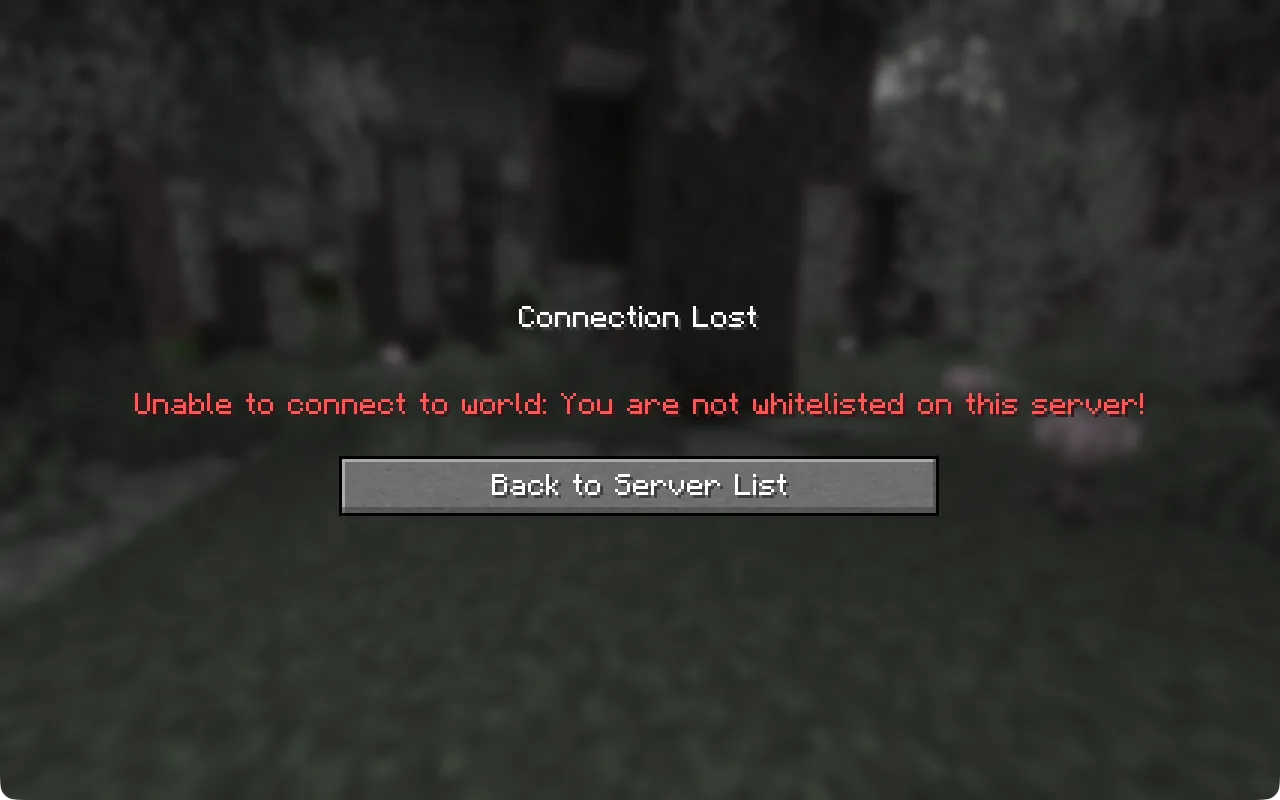
Minecraft showing Connection Lost: Unable to connect to world: You are not whitelisted on this server!

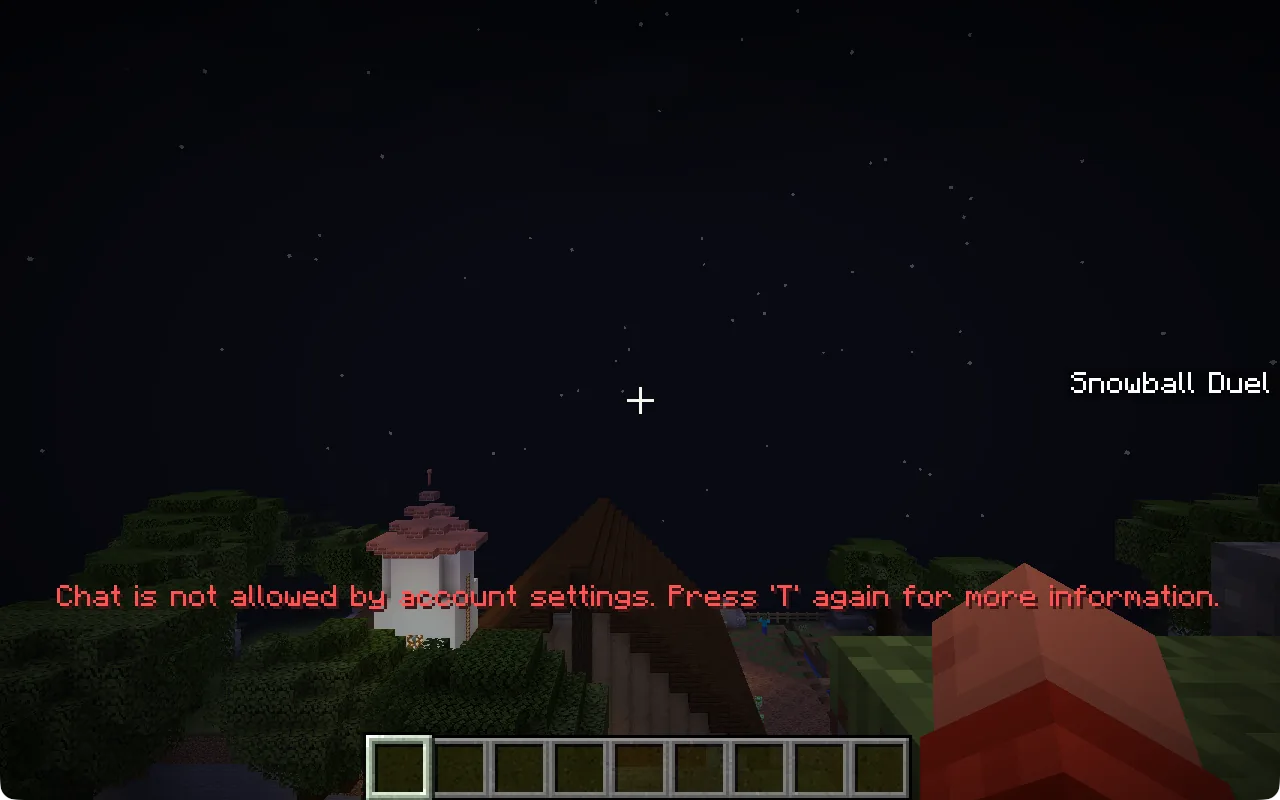
“Chat is not allowed by account settings”

The player is in the world, but their Microsoft account does not allow chat, so they cannot talk to Cog or to friends. This is the usual setting for a child’s account. If the Multiplayer button is greyed out, or Minecraft says multiplayer is disabled, it is the same kind of setting.

A parent changes it by signing in to Microsoft Family Safety at family.microsoft.com, choosing the child, and allowing Xbox online play and communication with others in their Xbox settings. For an adult’s own account, the same settings are in the Xbox privacy settings on xbox.com. Afterwards, quit Minecraft and Minecraft Launcher completely and start them again.

Minecraft in a world, with red text: Chat is not allowed by account settings. Press T again for more information.

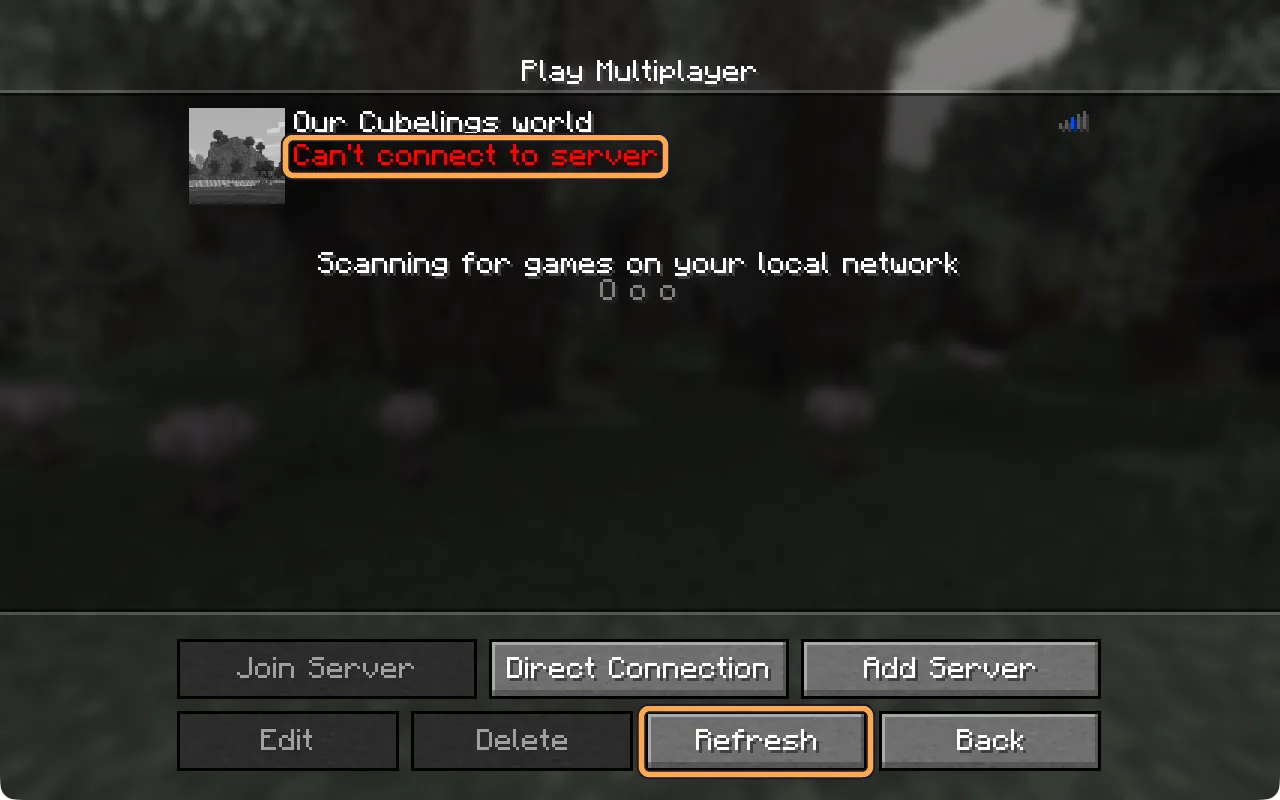
“Can’t connect to server” in the server list

The world is asleep. It saves and sleeps five minutes after the last player leaves, and waking it takes about a minute. On Java, select Refresh after a minute. On Bedrock, try joining again after a minute. If it still says this after five minutes, check the world in your dashboard.

The Java server list showing Can’t connect to server in red, with the Refresh button outlined

A message about an outdated or incompatible client

On Java, this means the game is on a different version from the world, usually because the launcher started Latest release. Check the bottom-left corner of the Minecraft title screen. Make an installation for the world’s version, or choose it on the Play tab: the steps, with pictures.

On Bedrock, update Minecraft from your app store. After a big Minecraft update it can take a few days before the newest Bedrock version can join.

Xbox, PlayStation and Switch

Console versions of Minecraft only list featured servers and do not let you type your own address. There are workarounds, but we have not tested them and do not support them yet. A phone, tablet or Windows PC works in the meantime.

Invite-only beta

A private Minecraft world for the people you choose, with Cog there to build alongside you. Join the list and we’ll email you when there’s a place.

14-day trial once invited · No card needed

A place in the first worlds

What will you
make of it?

Cubelings is an invite-only Minecraft beta. Tell us what you would build first, and we’ll email you when a place opens.

14 days when invitedNo card required

A place on the list, not a subscription. Your trial starts only when you’re invited and begin setup.

Just the details we need to invite you. How we handle your details